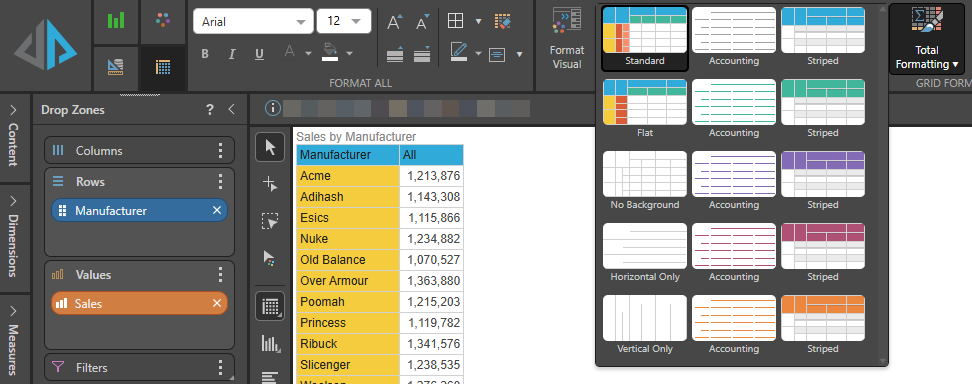
When working with matrix grids, you can select a design preset from the Grid Design dropdown in the Component ribbon. Each design preset alters the way the matrix grid is presented, helping you find a format that best displays the data in your grid. The colors are dependent on the selected design theme.
Set the Grid Design
Set a Grid Design (green highlight below) from the Component ribbon. Toggle the arrows to cycle through the options or expand the menu from the bottom arrow (purple arrow):

When expanded, you'll see several grid design options which differ for Matrix Grids and Tabular or Raw Grids.
Matrix Grids
Matrix grids support the following quick styles:
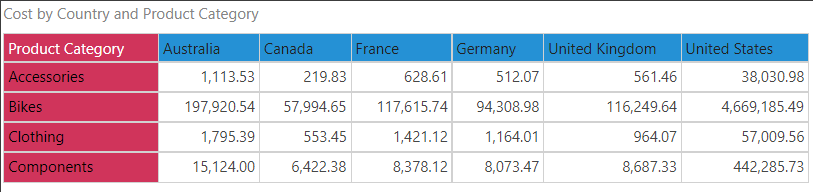
 Standard
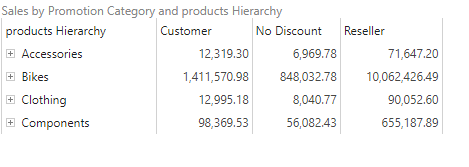
Standard mode displays headers for both rows and columns:
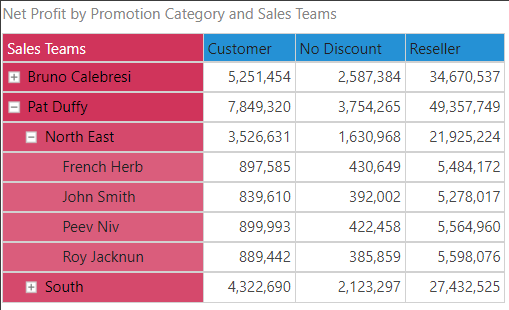
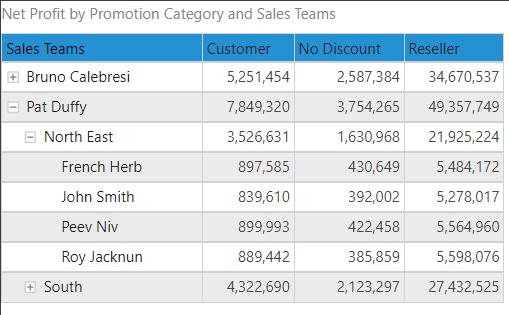
If the grid contains a regular hierarchy on rows, the member captions for the expanded levels of the hierarchy are indented:
Striped
Striped mode displays each grid row in alternating colors, and displays only column headers with a highlight (the row headers are not highlighted):
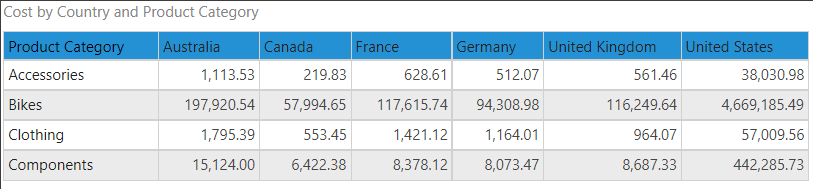
If a regular hierarchy is added to rows, the member captions of the expanded levels will be indented:
 Accounting
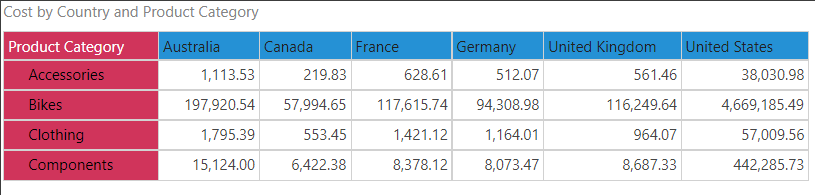
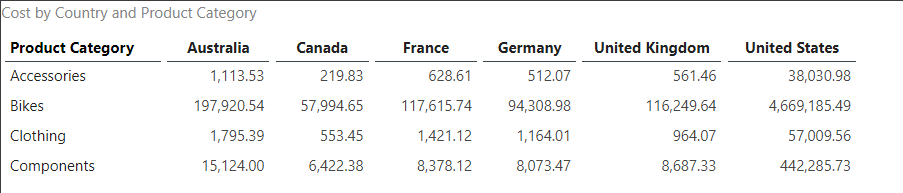
Accounting mode removes the grid, column, and row borders. The column headers are displayed in bold underlined font. The row headers are not emphasized if an attribute hierarchy was added to rows:
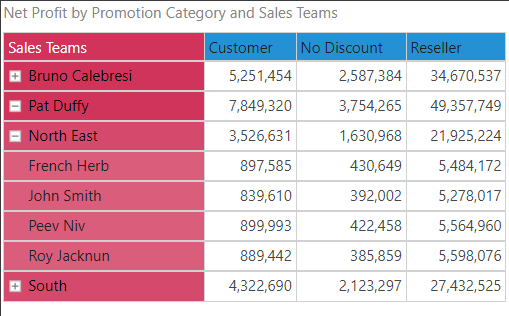
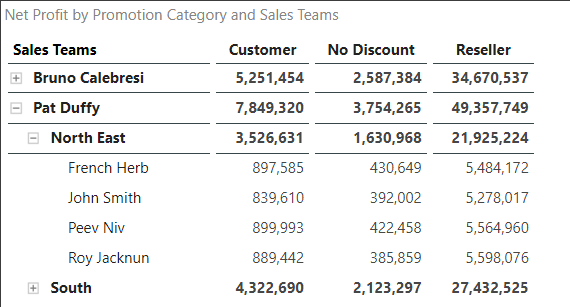
When a regular hierarchy is placed on Rows, the captions for the upper-level members are shown in bold and underlined, while the lowest level is not. Each expanded level is indented.
No Background
Shows the matrix grid with no background colors:
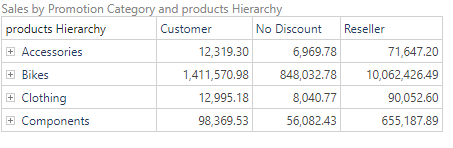
Horizontal Only
Shows the matrix grid without background colors and with horizontal lines only:
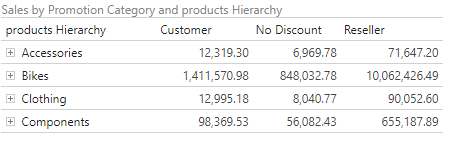
Vertical Only
Shows the matrix grid without background colors and with vertical lines only:
Tabular and Raw Result Grids
Tabular and Raw Results grids support the following quick styles:
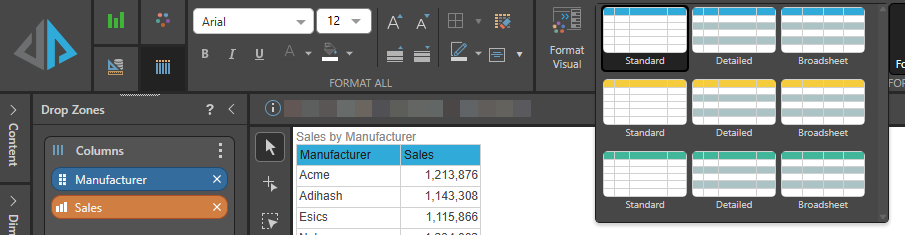
Standard
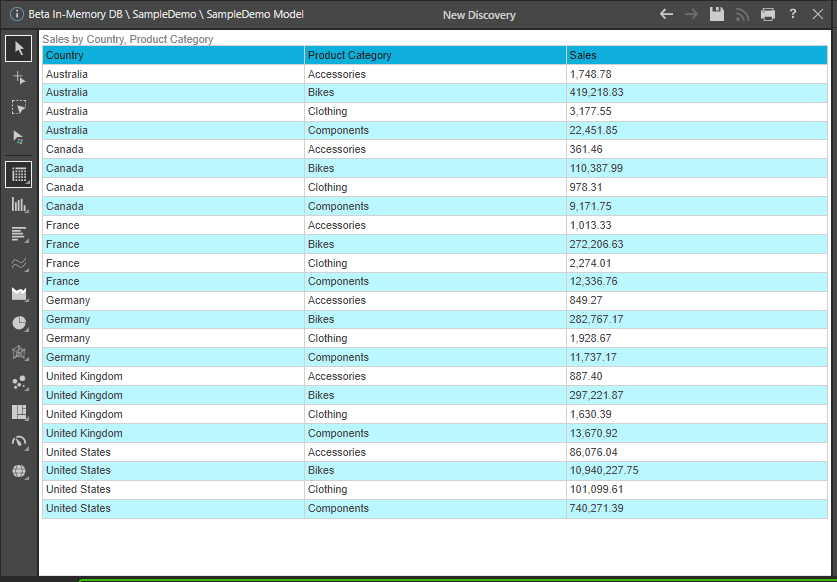
Adds a background color to the column headers, but not the data cells:
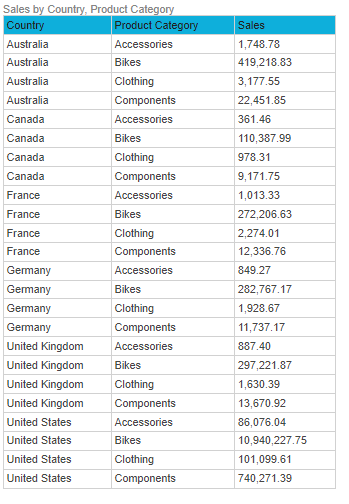
Detailed
Displays the grid with alternate rows, which can make it more legible:
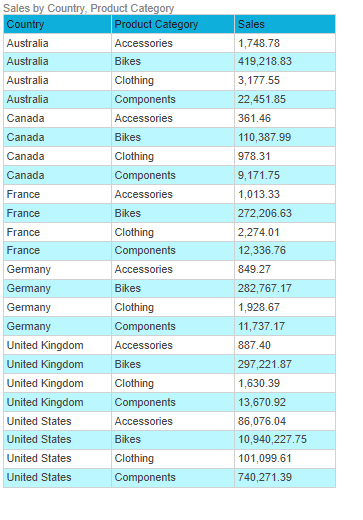
Broadsheet
Displays the grid with alternate rows and makes it fit the canvas size: